Skip to content
CrispOverlays
Loot drop stream alert overlay for OBS and Streamlabs — Loot drop · Rarity alert
Stream alert · Loot drop

Loot drop stream alert overlay for OBS & Streamlabs

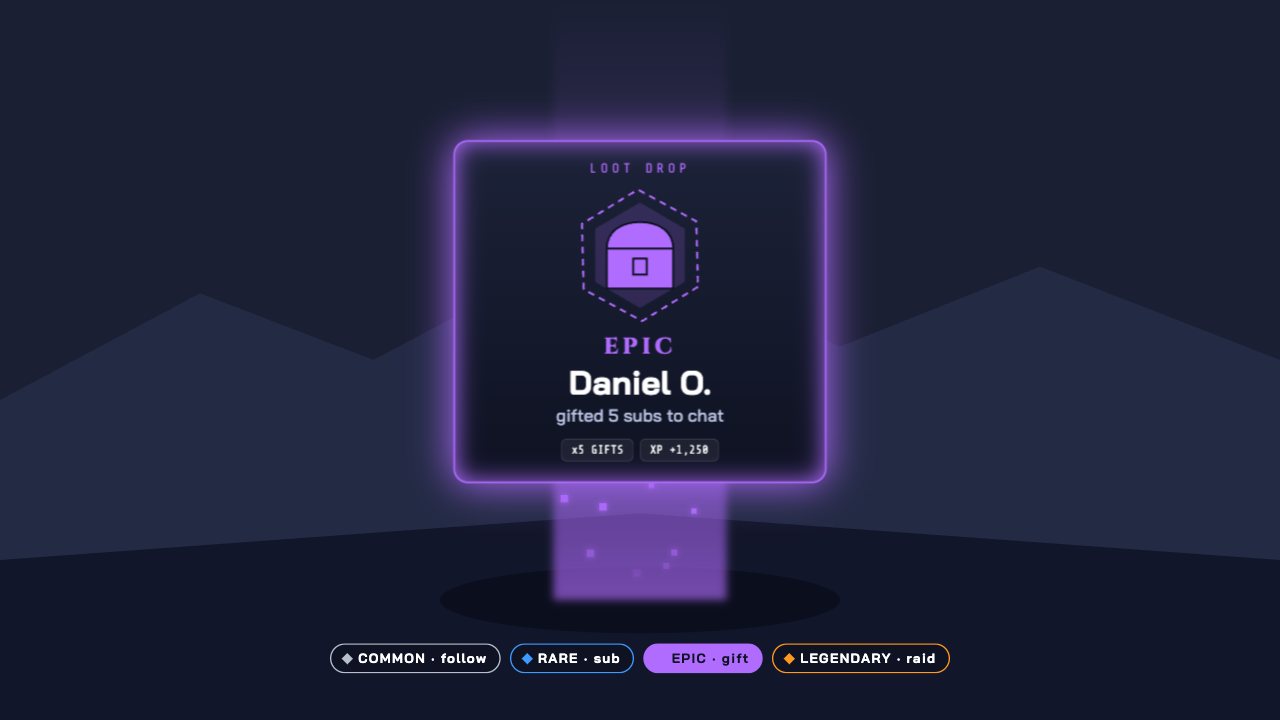
Every supporter is a loot drop: a light beam, a flipping item card and a rarity from Common follows to Legendary raids. Alerts queue automatically.

Included in Studio

Editable settings
4
Live controls
5
Resolution
1080p & 4K
Background
Transparent

About this stream alert

Loot Drop turns alerts into rewards. A beam of light shoots up, a card flips in and the rarity tells everyone how big the moment is.

Followers drop Common, subs Rare, gift subs Epic and raids Legendary — rename and recolour the tiers to match your channel.

CrispOverlays alerts queue automatically, show each one for as long as you choose, and replay their entrance animation every time. Fire a test alert or a custom alert from the remote with one tap.

What you can customise

Text & content

  • Rarities
  • Card label

Behaviour

  • Show each drop for

Layout

  • Show rarity legend

Live controls on your phone

Every button works from the studio, the phone remote or a producer link — and every screen updates together.

  • Show
  • Hide
  • Drop loot
  • Test drop
  • Clear queue

Loot drop stream alert: questions

How do I add the Loot drop stream alert to OBS?

Click “Use this overlay” and sign in — it’s added to your first stream. Copy your stream’s browser source URL. In OBS Studio or Streamlabs, add a Browser source, paste the URL and set 1920 × 1080. Edit the overlay in CrispOverlays or on your phone — changes appear live.

Can I change the Loot drop stream alert while I’m live?

Yes. All 4 settings — rarities, card label and more — update on stream the moment you change them, from your computer or phone.

Is the Loot drop stream alert free?

It’s included in studio. You can preview it free and upgrade from $2.99/month.

Do alerts queue if several come in at once?

Yes. Alerts play one after another with a short gap so each entrance animation replays.

Can I test an alert before going live?

Yes. Press Test alert in the studio or on the remote to see it on stream.

Put the Loot drop stream alert on your stream

Free plan · No download · Works in any app with a browser source.

Create your first overlay — free