Skip to content
CrispOverlays
Boss fight interactive overlay for OBS and Streamlabs — Viewer boss fight · Health bar
Interactive · Boss fight

Boss fight interactive overlay overlay for OBS & Streamlabs

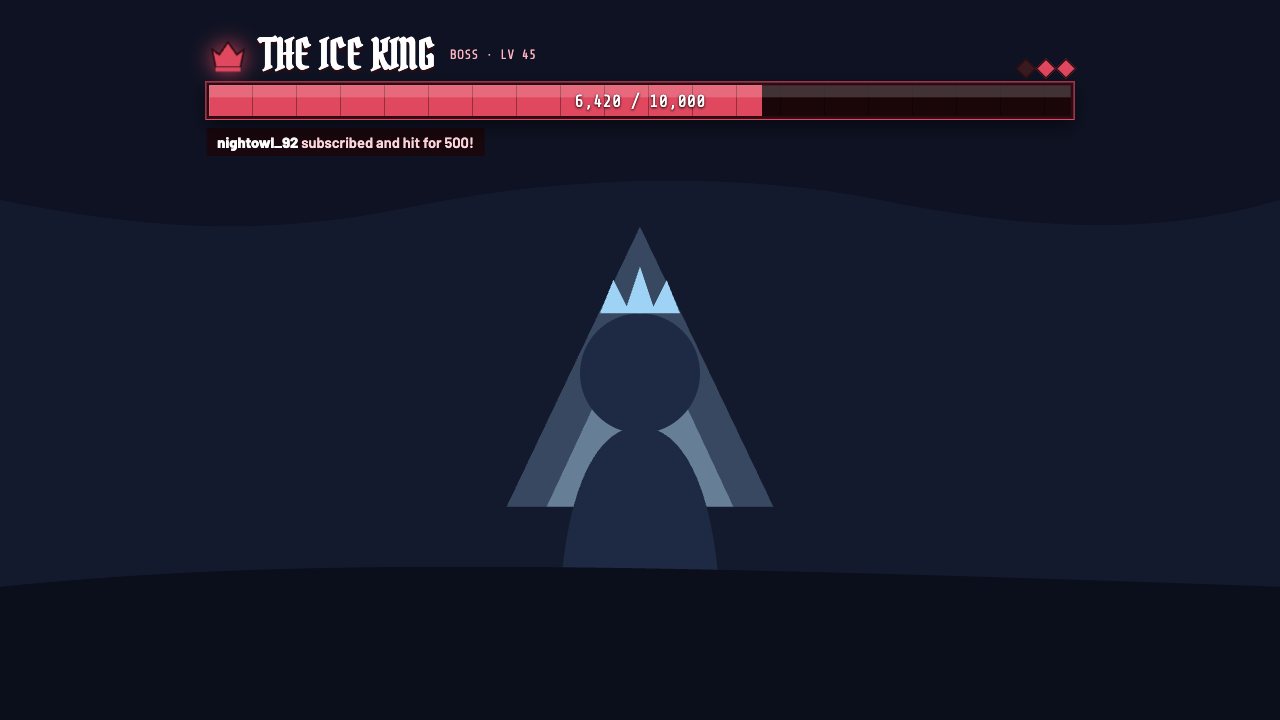
Chat fights a boss together: subs and tips knock down its health bar, it shakes on every hit and a stronger boss spawns when it falls.

Included in Studio

Editable settings
8
Live controls
7
Resolution
1080p & 4K
Background
Transparent

About this interactive overlay

Viewer Boss Fight makes support feel like gameplay. Every sub, tip or bit hits the boss, the health bar drops with a damage number and the screen shakes.

When the boss falls, a defeat banner plays and the next, tougher boss spawns. Name your bosses and set how hard each hit lands.

You run them from the phone remote: hit the boss, place an item, reset the board. Nothing to install and no bots required.

What you can customise

Text & content

  • Bosses
  • Starting HP
  • Each new boss is tougher by
  • Starting boss level
  • Defeat banner

Behaviour

  • Sub hit damage
  • Tip hit damage

Colours & fonts

  • HP colour

Live controls on your phone

Every button works from the studio, the phone remote or a producer link — and every screen updates together.

  • Show
  • Hide
  • Hit the boss
  • Sub hit
  • Tip hit
  • Boss heals
  • Reset fight

Boss fight interactive overlay: questions

How do I add the Boss fight interactive overlay to OBS?

Click “Use this overlay” and sign in — it’s added to your first stream. Copy your stream’s browser source URL. In OBS Studio or Streamlabs, add a Browser source, paste the URL and set 1920 × 1080. Edit the overlay in CrispOverlays or on your phone — changes appear live.

Can I change the Boss fight interactive overlay while I’m live?

Yes. All 8 settings — bosses, starting hp, each new boss is tougher by, starting boss level and more — update on stream the moment you change them, from your computer or phone.

Is the Boss fight interactive overlay free?

It’s included in studio. You can preview it free and upgrade from $2.99/month.

Can it use my brand colours?

Yes. Switch it to “My brand” and its 1 brand colour follow your brand kit. Switch back any time to the original colours.

Do viewers need to install anything?

No. You trigger every action from the CrispOverlays remote; viewers just watch and chat.

Put the Boss fight interactive overlay on your stream

Free plan · No download · Works in any app with a browser source.

Create your first overlay — free