Skip to content
CrispOverlays
Tier list interactive overlay for OBS and Streamlabs — Tier list · Live ranking
Interactive · Tier list

Tier list interactive overlay overlay for OBS & Streamlabs

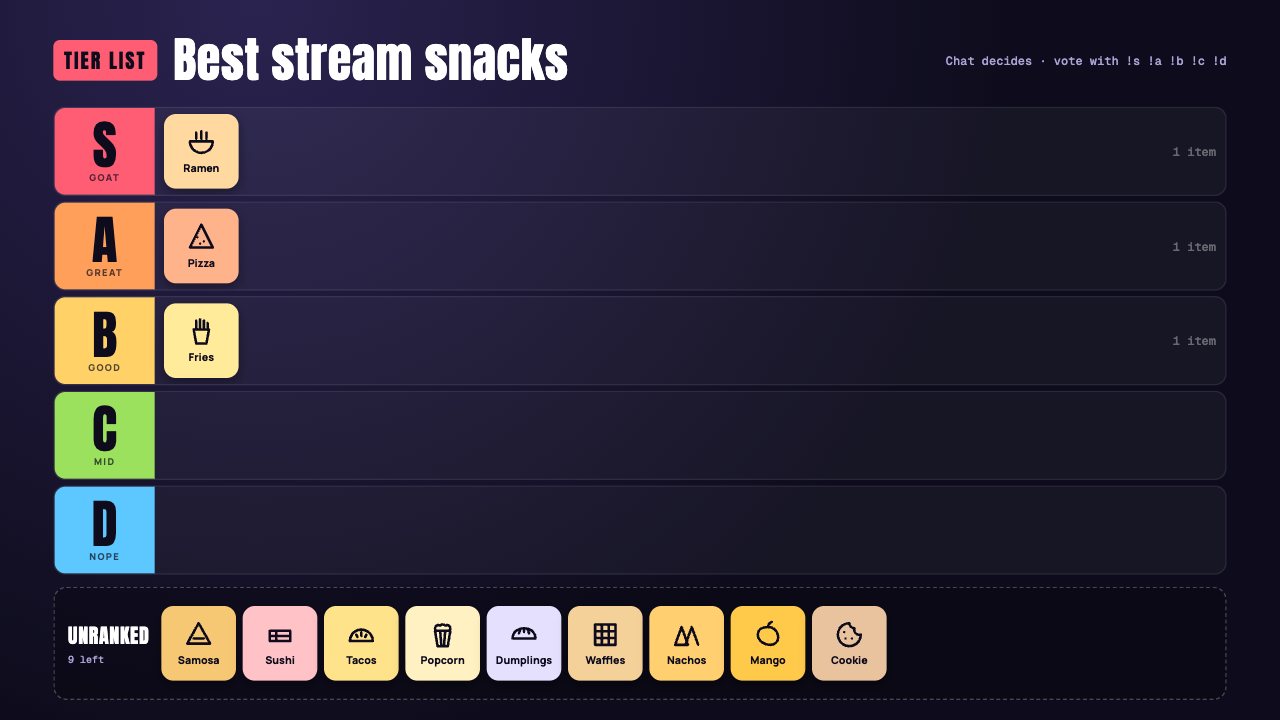
A live tier list with S to D rows, item chips with icons or pictures and an unranked tray. Rank items from your phone while chat argues.

Included in Studio

Editable settings
7
Live controls
5
Resolution
1080p & 4K
Background
Transparent

About this interactive overlay

Tier List is the classic chat debate on screen: five coloured rows, a tray of unranked items and chips you move as you decide.

Add your own items with icons or pictures, rename the rows and place each item from your phone.

You run them from the phone remote: hit the boss, place an item, reset the board. Nothing to install and no bots required.

What you can customise

Text & content

  • Badge
  • Title
  • Line top right
  • Rows
  • Items
  • Tray label
  • When everything is ranked

Live controls on your phone

Every button works from the studio, the phone remote or a producer link — and every screen updates together.

  • Show
  • Hide
  • Place an item
  • Add an item
  • Clear the board

Tier list interactive overlay: questions

How do I add the Tier list interactive overlay to OBS?

Click “Use this overlay” and sign in — it’s added to your first stream. Copy your stream’s browser source URL. In OBS Studio or Streamlabs, add a Browser source, paste the URL and set 1920 × 1080. Edit the overlay in CrispOverlays or on your phone — changes appear live.

Can I change the Tier list interactive overlay while I’m live?

Yes. All 7 settings — badge, title, line top right, rows and more — update on stream the moment you change them, from your computer or phone.

Is the Tier list interactive overlay free?

It’s included in studio. You can preview it free and upgrade from $2.99/month.

Do viewers need to install anything?

No. You trigger every action from the CrispOverlays remote; viewers just watch and chat.

Put the Tier list interactive overlay on your stream

Free plan · No download · Works in any app with a browser source.

Create your first overlay — free