Skip to content
CrispOverlays
Conference queue q&a card overlay for OBS and Streamlabs — Audience Q&A · Conference
Q&A card · Conference queue

Conference queue q&a card overlay for OBS & Streamlabs

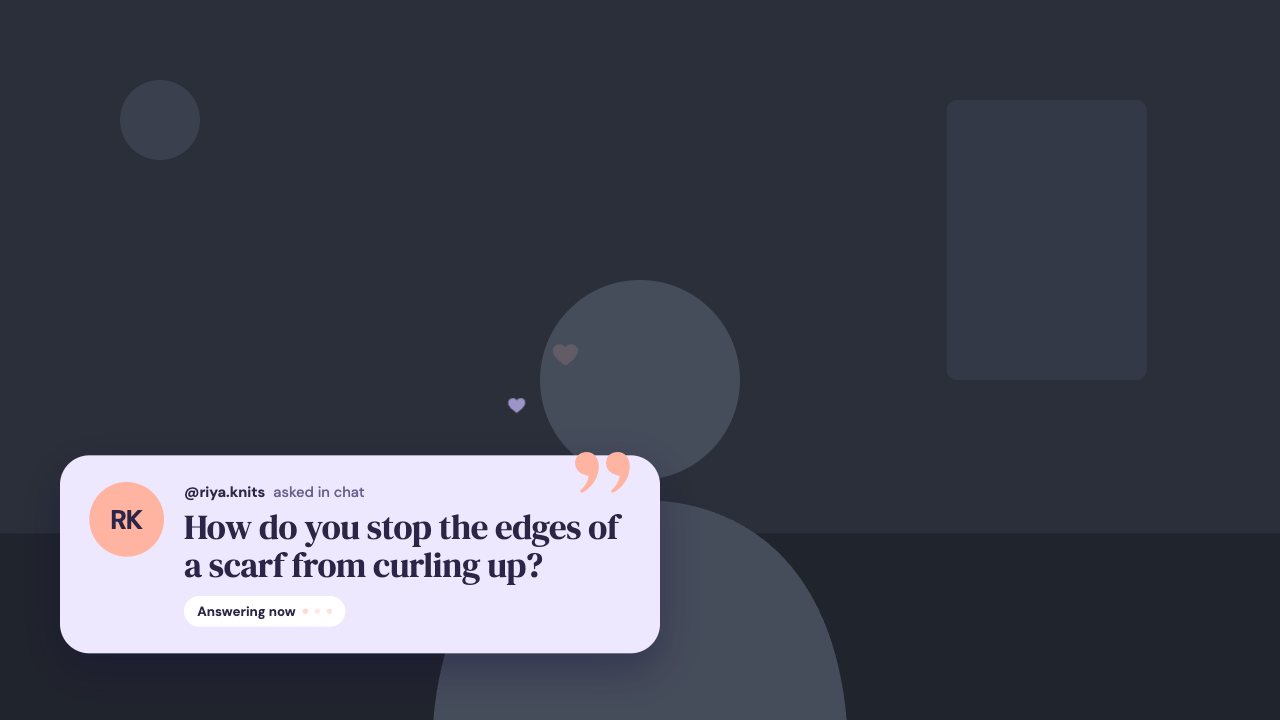
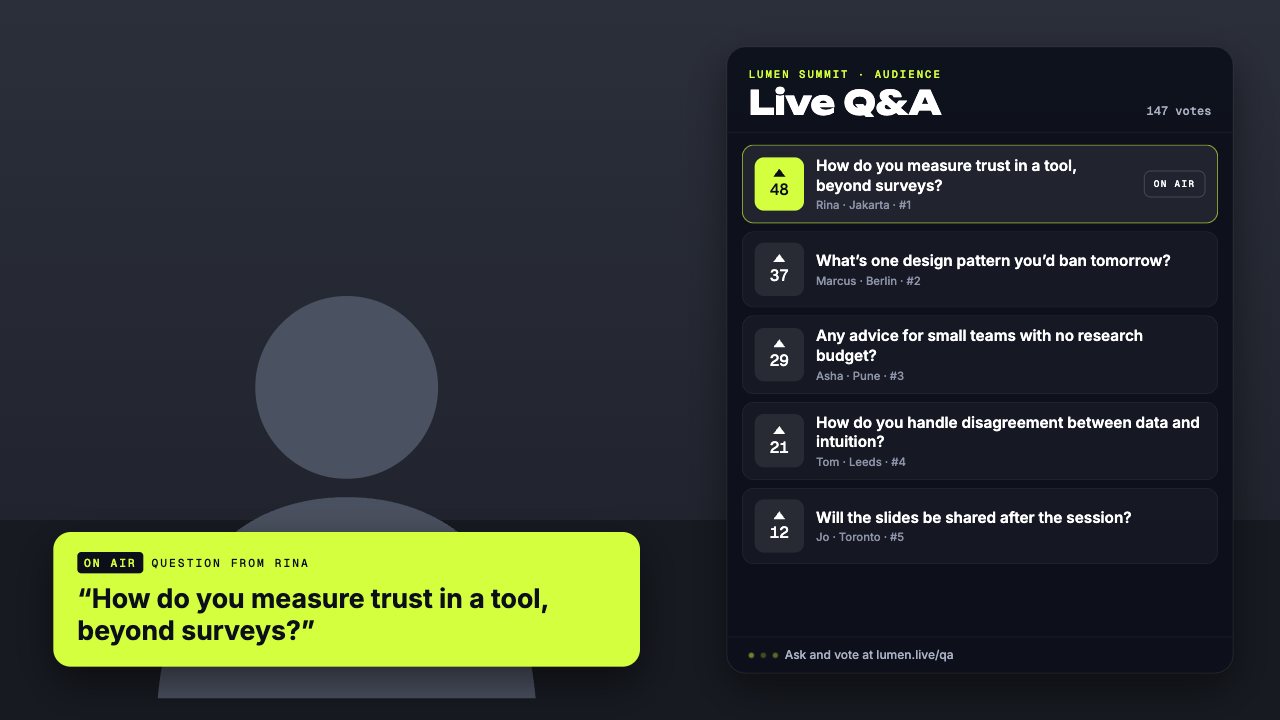
A live audience Q&A board with questions ranked by votes, animated counts and the chosen question shown big as ON AIR. Run it from your phone.

Included in Studio

Editable settings
8
Live controls
7
Resolution
1080p & 4K
Background
Transparent

About this q&a card

Audience Q&A gives your event a moderated question queue on screen: questions rank themselves by votes and the one you pick goes on air.

Add questions, vote them up and put any of them on air from your phone — or air the top question with one tap.

Queue questions in advance or add them from the remote, then step through them one by one.

What you can customise

Text & content

  • Label
  • Title
  • Questions
  • On-air label
  • From label
  • Footer hint

Layout

  • Show question list

Colours & fonts

  • Accent

Live controls on your phone

Every button works from the studio, the phone remote or a producer link — and every screen updates together.

  • Show
  • Hide
  • Put on air
  • Air the top question
  • Take off air
  • Add a vote
  • Add a question

Conference queue q&a card: questions

How do I add the Conference queue q&a card to OBS?

Click “Use this overlay” and sign in — it’s added to your first stream. Copy your stream’s browser source URL. In OBS Studio or Streamlabs, add a Browser source, paste the URL and set 1920 × 1080. Edit the overlay in CrispOverlays or on your phone — changes appear live.

Can I change the Conference queue q&a card while I’m live?

Yes. All 8 settings — label, title, questions, on-air label and more — update on stream the moment you change them, from your computer or phone.

Is the Conference queue q&a card free?

It’s included in studio. You can preview it free and upgrade from $2.99/month.

Can it use my brand colours?

Yes. Switch it to “My brand” and its 1 brand colour follow your brand kit. Switch back any time to the original colours.

Put the Conference queue q&a card on your stream

Free plan · No download · Works in any app with a browser source.

Create your first overlay — free